 Vuepress+GitHub page部署教程
# 01.Vuepress+GitHub page部署教程
本地环境搭建参考晓林大佬的博客 (opens new window),本文记录了部署过程中遇到的问题,并做了二次整理
# 构建仓库
在github new一个仓库,比如命名为Blog。
在主配置文件夹下添加base路径:
//docs\.vuepress\config.ts
module.exports = {
    // 路径名为 "/<REPO>/"
    base: '/Blog/',
    //...
}
1
2
3
4
5
6
2
3
4
5
6
然后绑定本地仓库和远程仓库:
git init
git remote add origin git@github.com:username/Blog.git # 切换用户名
git add
git commit -m "Initial commit"
git branch -M main
git push -u origin main
1
2
3
4
5
6
2
3
4
5
6
# 部署
有两种方式可以部署站点,一种是通过actions工作流,它是一个持续集成和持续交付 (CI/CD) 平台,允许你自动化构建、测试和部署流程;另一种方式是Deploy from a branch(从分支部署) , 一项免费的传统的简单的静态网站托管服务,可以直接从 GitHub 仓库提供 HTML、CSS 和 JavaScript 文件,受限比较多,无法使用其他静态生成器(比如本文用到的Vuepress)。通过 Actions 工作流部署更现代、更强大和灵活,我们采用这种方式 。
首先在项目setting-pages选择部署source为Github Actions
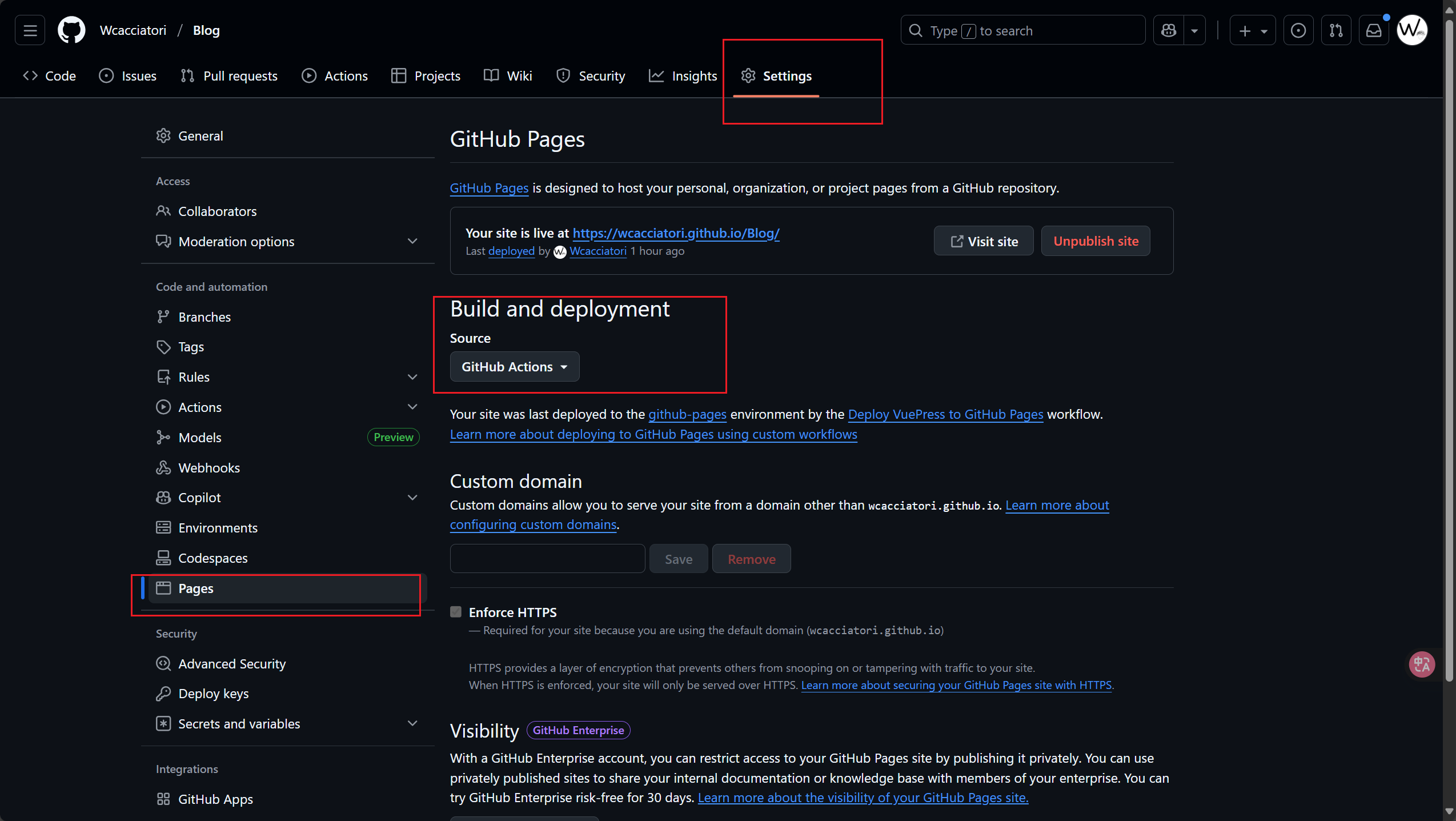
然后编写你的工作流脚本(以我的为例),主要是配置触发条件、配置工作流的权限、配置并发执行、定义工作流(检出代码 → 设置环境 → 安装依赖 → 构建项目 → 部署到 GitHub Pages):
#.\.github\workflows\main.yml
name: Deploy VuePress to GitHub Pages

on:
  push:
    branches: [ main ]

permissions:
  contents: read
  pages: write
  id-token: write

concurrency:
  group: pages
  cancel-in-progress: false

jobs:
  build-and-deploy:
    runs-on: ubuntu-latest
    steps:
      - name: Checkout
        uses: actions/checkout@v4
        with:
          fetch-depth: 0

      - name: Setup Node.js
        uses: actions/setup-node@v4
        with:
          node-version: '16'
          cache: npm

      - name: Install dependencies
        run: npm install

      - name: Build
        run: npm run docs:build

      - name: Setup Pages
        uses: actions/configure-pages@v4

      - name: Upload artifact
        uses: actions/upload-pages-artifact@v3
        with:
          path: docs/.vuepress/dist

      - name: Deploy to GitHub Pages
        id: deployment
        uses: actions/deploy-pages@v4
1
2
3
4
5
6
7
8
9
10
11
12
13
14
15
16
17
18
19
20
21
22
23
24
25
26
27
28
29
30
31
32
33
34
35
36
37
38
39
40
41
42
43
44
45
46
47
48
2
3
4
5
6
7
8
9
10
11
12
13
14
15
16
17
18
19
20
21
22
23
24
25
26
27
28
29
30
31
32
33
34
35
36
37
38
39
40
41
42
43
44
45
46
47
48
由于配置了推送到mian分支时自动触发工作流,我们只需要推送代码,然后在actions处就能看到正在构建:
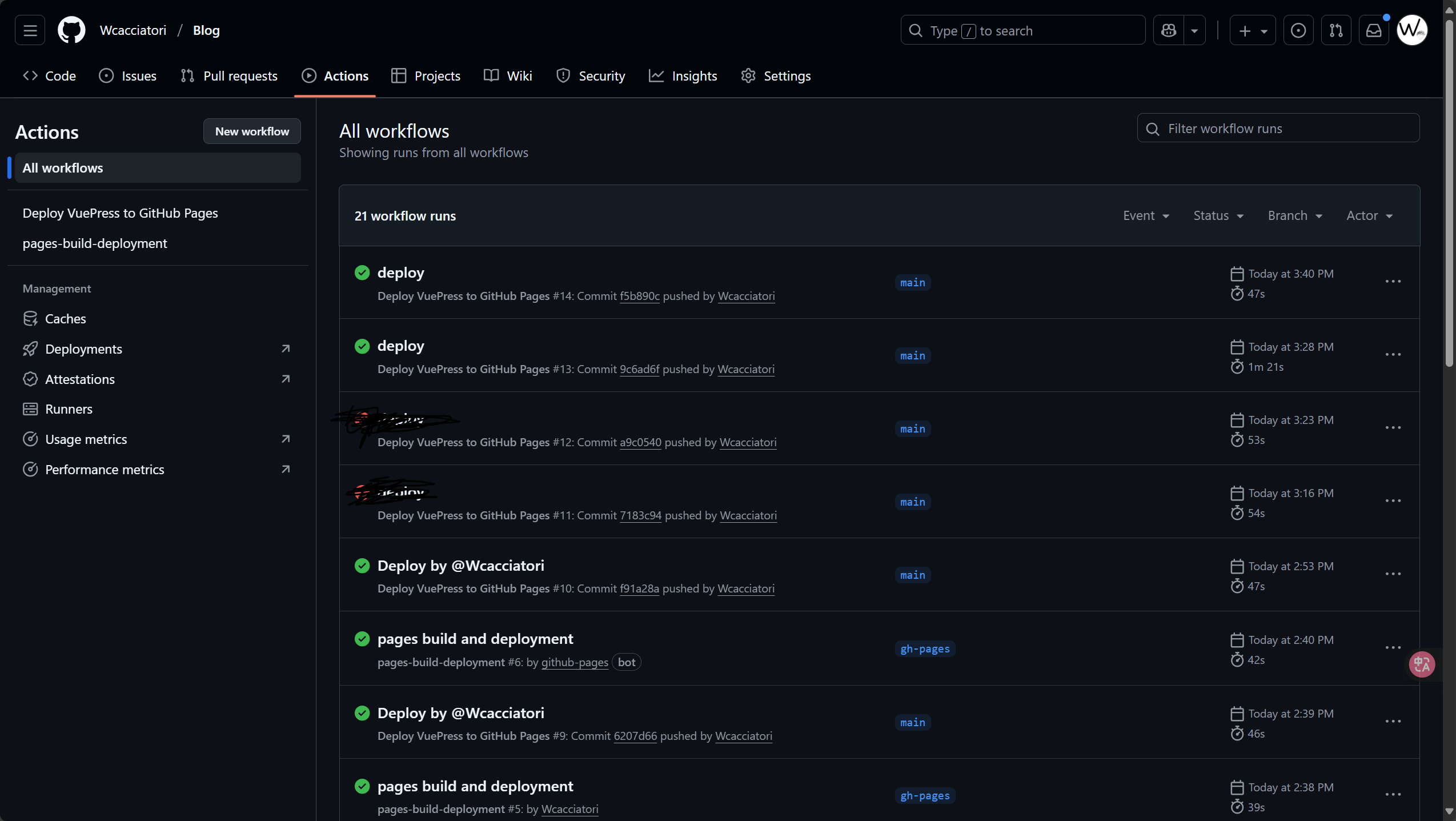
构建成功后,正常情况下就能访问网站了,https://username.github.io/Blog/。
# 踩坑记录
# base配置位置错误导致无法加载资源
本笨比在写base路径时以为只要在.vuepress路径下随便找个config文件写进去就行了,于是写在了主题配置里,结果加载出来是这样……
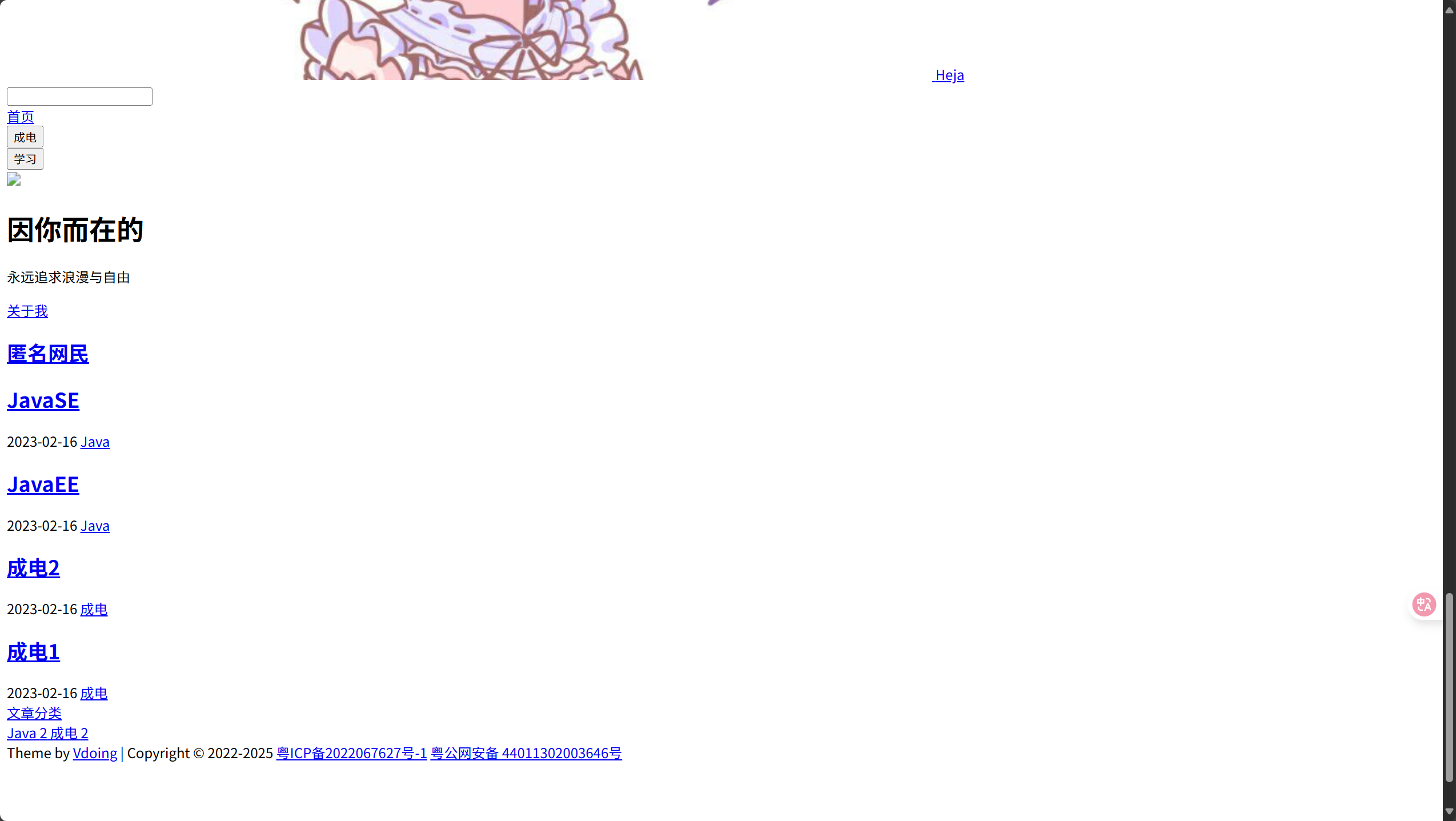
正确的位置应该是在主配置文件:
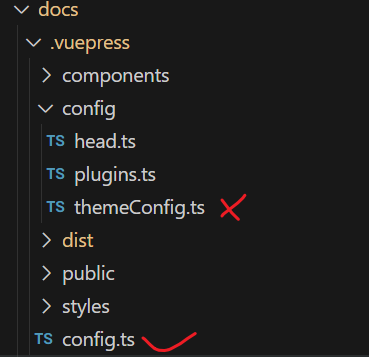
之后就都对了
# 构建失败问题
- node版本过高,Node.js v20 / v18默认使用 OpenSSL 3.0,而一些旧的加密算法被标记为过时,导致不支持。尽量用低的就是了,一般都会兼容老版本。
- 没有给工作流配置权限,在yml文件中赋予权限就行
上次更新: 2025/10/30 08:52:34